CLI tools
flowchart LR
  subgraph Plan
    A["plan_tools"] --> B["graph"]
    A --> C["routing"]
  end
  subgraph Build
    D["dispatch"] --> E["checkpoint"]
    E --> F["run_tests"]
  end
  subgraph Watch
    G["budget"]
    H["metrics"]
    I["tail"]
  end
  subgraph Close
    J["finish"] --> K["report"]
  end
  Plan --> Build --> Close
  Build -.-> Watch
The groups are a guide to the order of use. Every tool below works on its own.
The tools
Section titled “The tools”Run any tool as bash skills/swarm/scripts/superlite-cli <tool> ....
| Tool | What it does |
|---|---|
plan_tools |
Plan lint, task graph, stubs, schedule, and the adapter, packet, contract review subcommands. |
graph |
Draws the plan’s task graph as a mermaid flowchart. |
wave0 |
Builds the skeleton brief for implementer-haiku from the plan. |
routing |
Maps each task’s features to a tier using routing.json. |
predict |
Predicts time, context and cost per task; --refit fits coefficients. |
build_prime |
Builds the shared prime every agent reads first. |
task |
Prints task Tn plus the Produces lines of the tasks it consumes. |
dispatch |
ready tasks, assign --task Tn, or both; batches by tier. |
host_models |
Resolves a host profile once per run into .superlite/host-models.json. |
next_tasks |
Computes which tasks are ready. |
checkpoint |
Checks scope, then records tasks’ owned files as hidden checkpoints. |
cost |
line for live spend, table for per-agent cost. |
agent_specs |
on, off, status for opt-in specs; open and prefer toggles. |
run_tests |
Runs the project’s tests: --background, --wait, --fast, --affected, --full --reuse. |
testprobe |
The hung-test probe run_tests uses. |
testcmd |
Resolves the project’s test command. |
pt_review |
adapter, packet and contract review steps. |
probe_run |
Parallel robustness probes with no agents (Python projects only). |
incident |
Records and queries the shared incident log. |
budget |
One line of elapsed time and cost against target and cap. |
metrics |
Per-task time, tokens and cost. |
history |
Run history: write, read, derive, import. |
graphify_gate |
Gates Graphify for search in non-trivial codebases. |
orchestrator |
set human|ai, approve --review <plan>, status. |
report |
The end-of-build report, projected against actual. |
run_widget |
The before and after run cards as HTML fragments. |
suggest_flow |
--text "<request>": one line naming the suggested flow. |
research |
Research ledger: init, source, claim, contradiction, lint, render, list. |
proto |
Feature prototype: start, tryout, status, discard. |
session |
ensure, close, untracked, create, use, split, discard, status, sync. |
mvp_check |
MVP mode: build, stamp and check the prototype page and feedback. |
finish |
Collects the finish summary; with --plan also writes the after card. |
tail |
Live feed of agent starts and finishes and ledger lines. |
The folder skills/swarm/scripts/ also holds helper modules (session, compact and plan parts) that tools import. They are not called directly.
A checkpoint is a hidden save of one task under refs/superlite/*. superlite never commits during a run.
Example: using the tools by hand
Section titled “Example: using the tools by hand”Say you want to know which flow fits a bug report, then run one test file without freezing your terminal.
-
You ask for the suggested flow:
Terminal · ~/social $ bash skills/swarm/scripts/superlite-cli suggest_flow --text "fix the login bug"suggest: debug - existing code, the request reports a fault ("bug") | also fits: feature, regularThe tool is deterministic: the same request in the same project gives the same line. It reads your folder and your words, with no model call.
-
You start a focused test run in the background:
Terminal · ~/social $ bash skills/swarm/scripts/superlite-cli run_tests --fast tests/test_login.py --backgroundwait: run_tests --wait --run <id>summary: .superlite/test-summary.jsonThe call returns at once and prints the id of the run. Tests run in a separate process so nothing blocks the session.
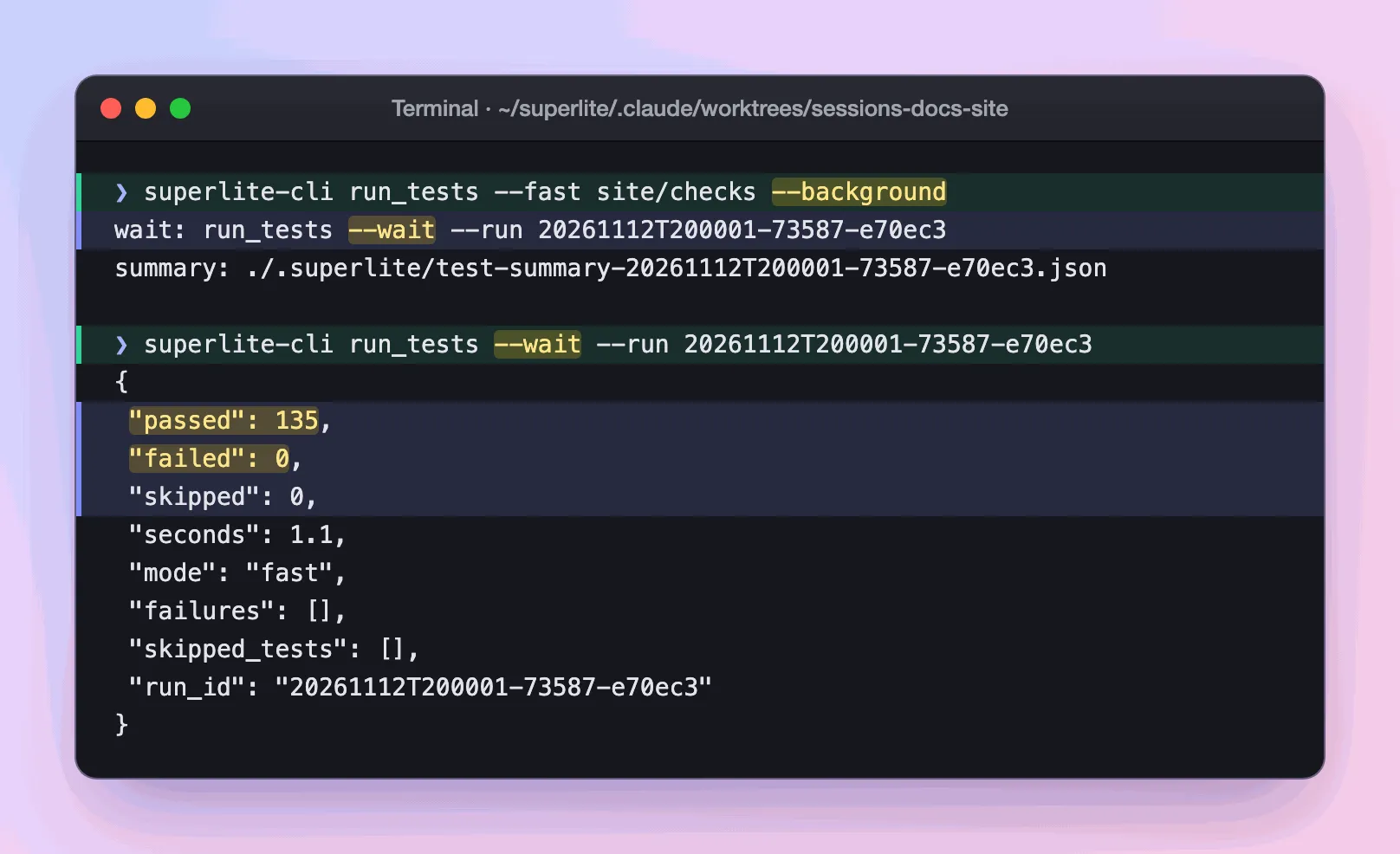
Real output: a full start, wait and result cycle, run on the files that check this site.
-
You wait for the run with the line it printed, filling in the id:
Terminal · ~/social $ bash skills/swarm/scripts/superlite-cli run_tests --wait --run <id>The call blocks until the run ends. If the tests stop producing output, it returns early with a
SUSPECT HANGreport, so a hung run never looks like a slow one. -
You decide: read
.superlite/test-summary.jsonfor the result, or ask for the broader run with--full.
What you end up with: a flow suggestion and a test result, each from one script. Every skill and agent uses these same tools, so what you ran by hand is what a build runs.